
Choosing the Right Office Workstations for a Collaborative Workplace
Create a workspace that supports teamwork, focused work, technology, comfort, and the flexibility to change.
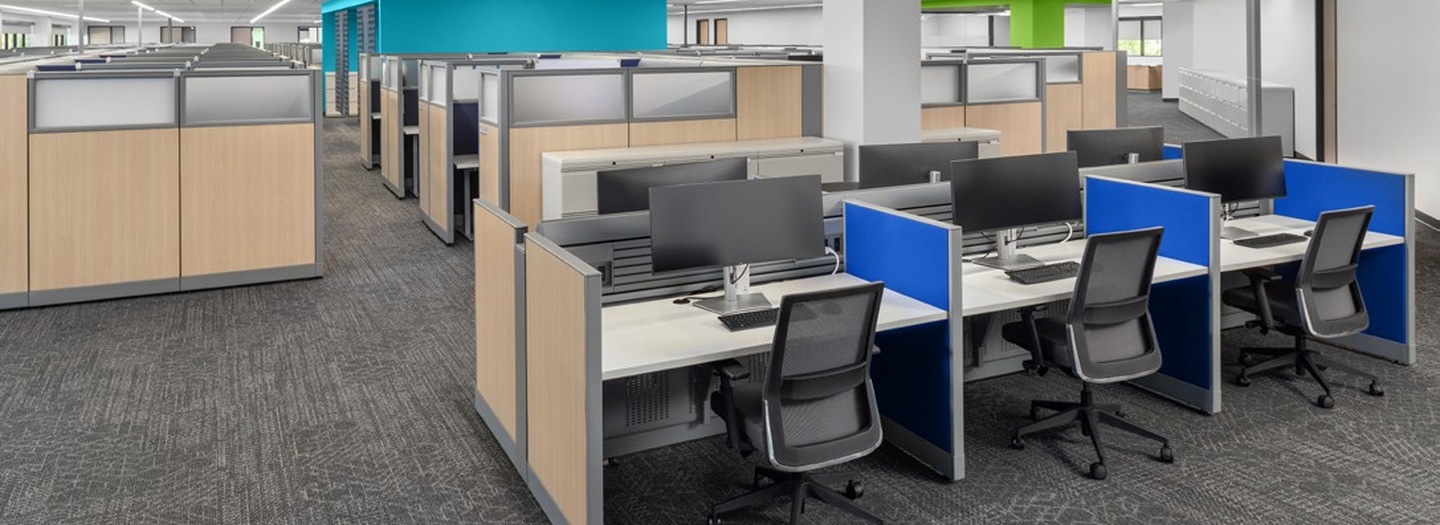
Collaboration does not mean giving every employee the same open desk. A productive workstation plan gives people easy ways to connect while protecting enough space, comfort, and acoustic control for focused work.
Work styles
Map team sizes, individual tasks, meeting patterns, privacy needs, and time spent at a desk.
Flexibility
Choose modular systems that can reconfigure as departments, headcount, and technology change.
Ergonomics
Provide appropriate worksurface height, monitor placement, legroom, and adjustable seating.
Power and data
Plan accessible connections and cable management before finalizing workstation locations.
Acoustics
Use panels, zoning, sound-absorbing materials, and quiet spaces to manage distraction.
Circulation
Keep pathways, storage access, and collaboration zones clear and intuitive.
Compare common workstation styles
Benching systems
Shared runs of desks create a clean, efficient footprint and make conversation easy. They work best when teams rely on mobile technology and have nearby spaces for calls and focused work.
Panel-based workstations
Panels add visual and acoustic separation, support storage, and help define individual territory. Lower panels preserve connection; taller panels increase privacy.
Private or semi-private stations
Larger footprints, returns, and storage support roles that handle confidential work, extensive materials, or longer periods of concentration.
Hybrid and touchdown stations
Unassigned or reservable desks can support mobile employees, but they need simple technology, clean storage options, and clear booking expectations.
Design for both collaboration and focus
Place highly collaborative teams near shared tables, writable surfaces, and project storage. Separate noisy circulation and social areas from concentration zones. Phone rooms, small meeting spaces, and quiet rooms give employees alternatives without requiring every workstation to solve every need.
Test the plan before committing
Use accurate measurements and a scaled layout to confirm density, pathways, sightlines, accessibility, and storage. A small mockup can reveal reach, glare, monitor, and panel-height issues early.
Consider pre-owned and remanufactured systems
Quality workstations from established manufacturers are designed for long service and reconfiguration. Professionally refurbished or remanufactured systems can reduce project cost and environmental impact while maintaining a polished, coordinated look.
Workplace planning support in Houston
Houston’s 2026 office market continues to favor higher-quality workplaces that improve employee experience. Heading into 2027, that means treating workstations as part of a larger ecosystem: settings for focus, privacy, learning, social connection, and hybrid collaboration—not simply rows of desks.
Office Furniture Connection helps Houston organizations assess needs, compare workstation systems, plan layouts, and coordinate delivery and installation.